Lock apps on your iPhone.Unlock them at the Key.
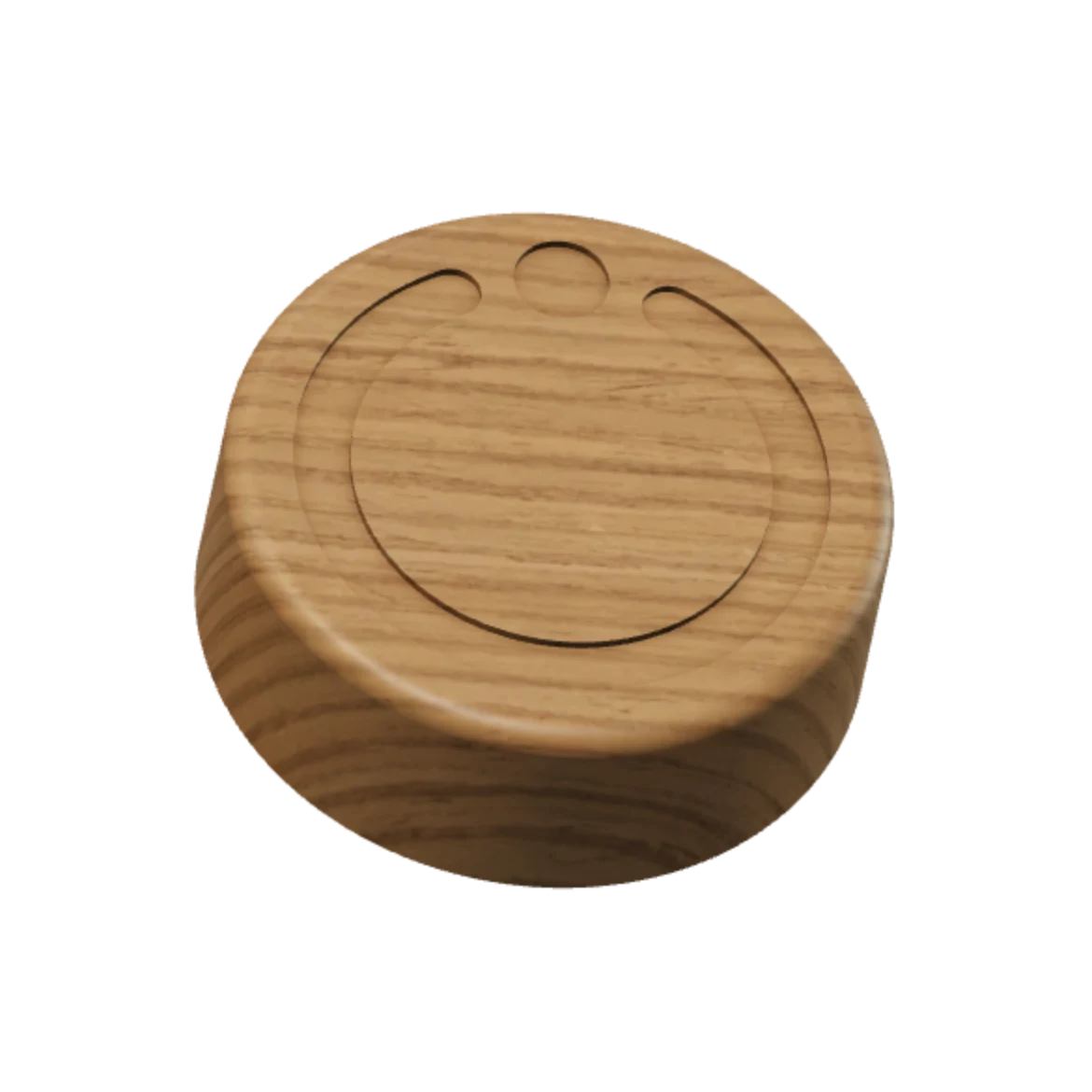
An iPhone app and a wooden Key.
You choose what gets locked.
You hold the ring.
Your chosen apps are locked.
Instagram stays locked.
To unlock, you walk back to the Key.
You hold your iPhone to the Key.
Your apps are open again.
The Key.
Everything else keeps working.
You tap it. It doesn’t open.
It’s where you left it.
First, you tap unlock in the app.
You come back to the Key to unlock your apps.
Scroll through the demo. Moving or tapping the lens is optional.
The Key.
You come back to the Key to unlock your apps.
- Oak.
- Made in Austria.
- 70 × 25 mm.
- 70 mm across, 25 mm high.
- No battery.
- Never needs charging, for life.
- Magnetic.
- Metal core.
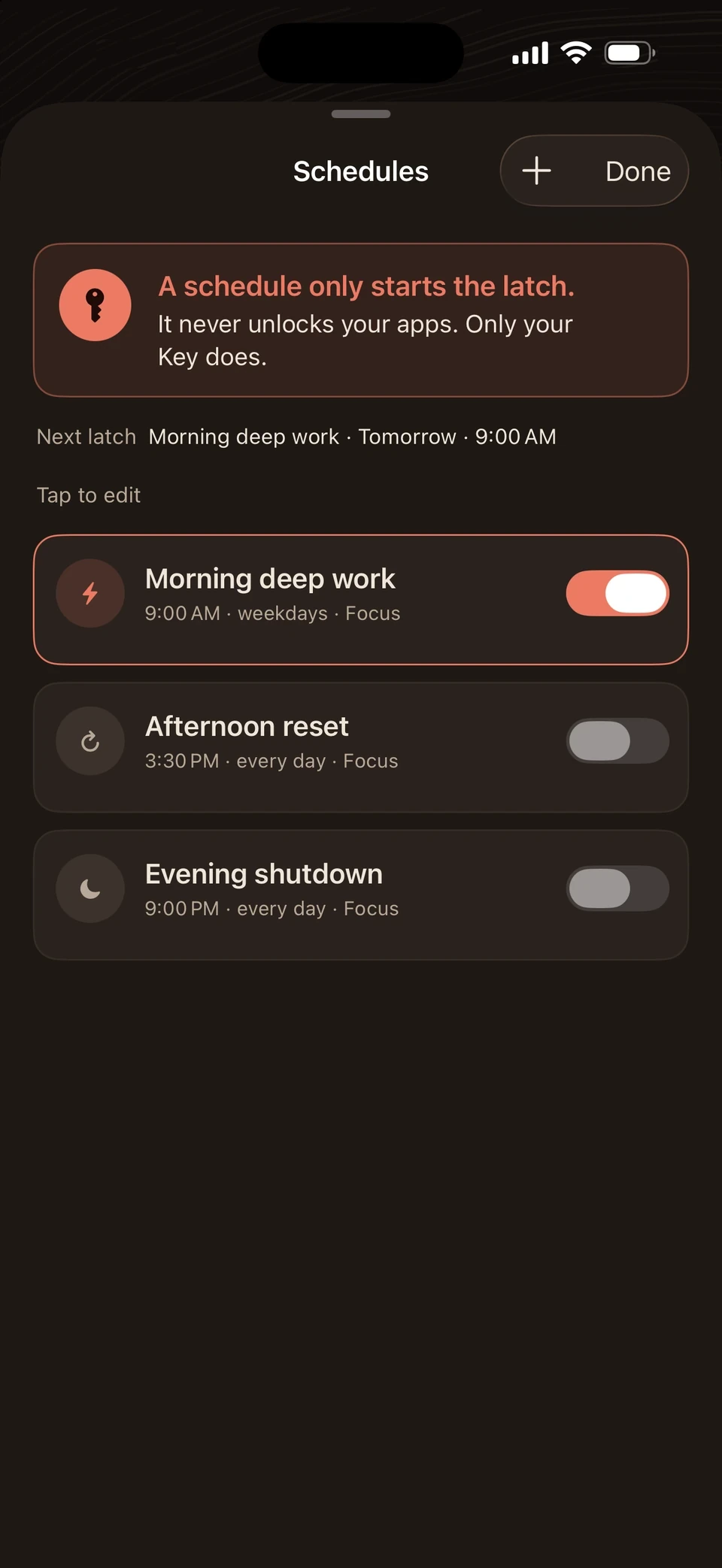
Schedules. You choose when your apps are locked.
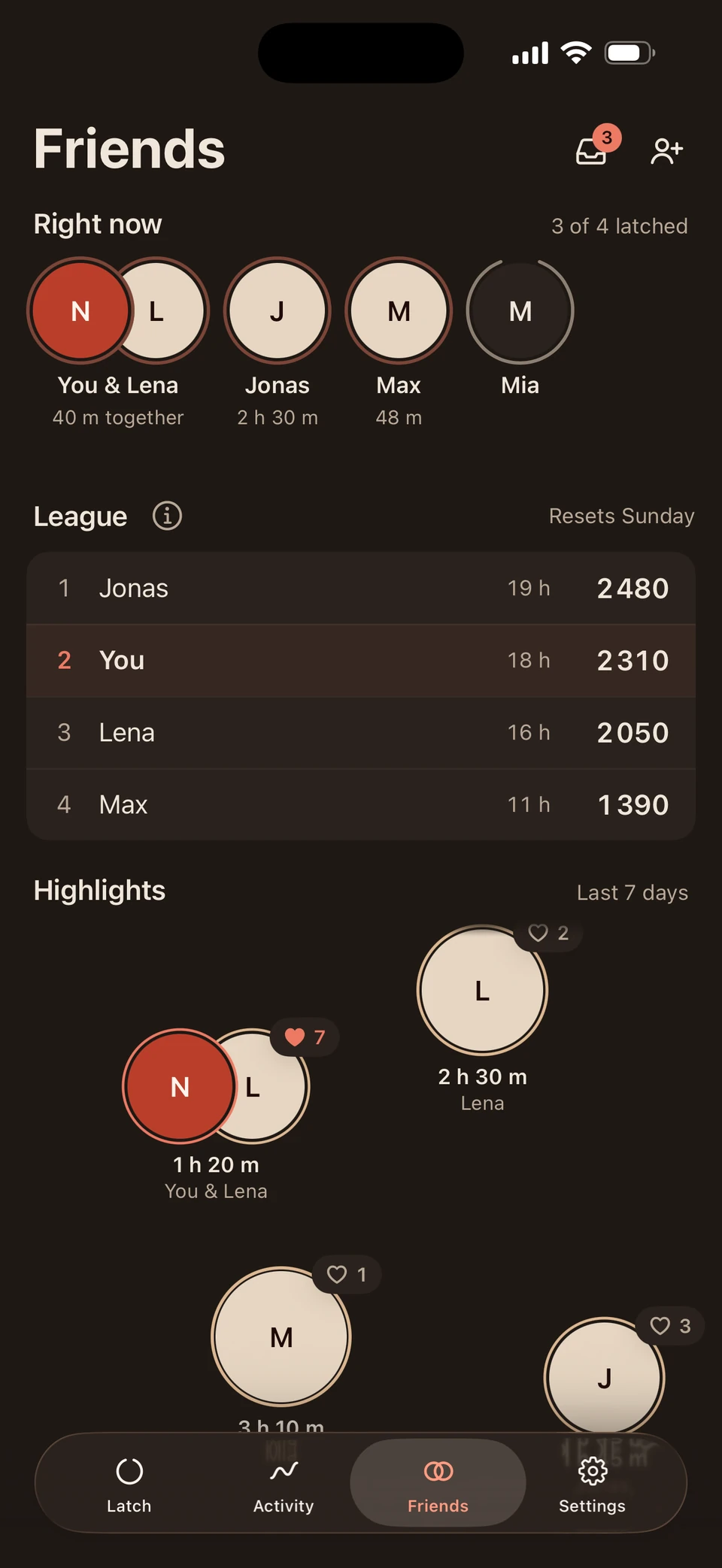
Friends. You see which friends currently have their apps locked.
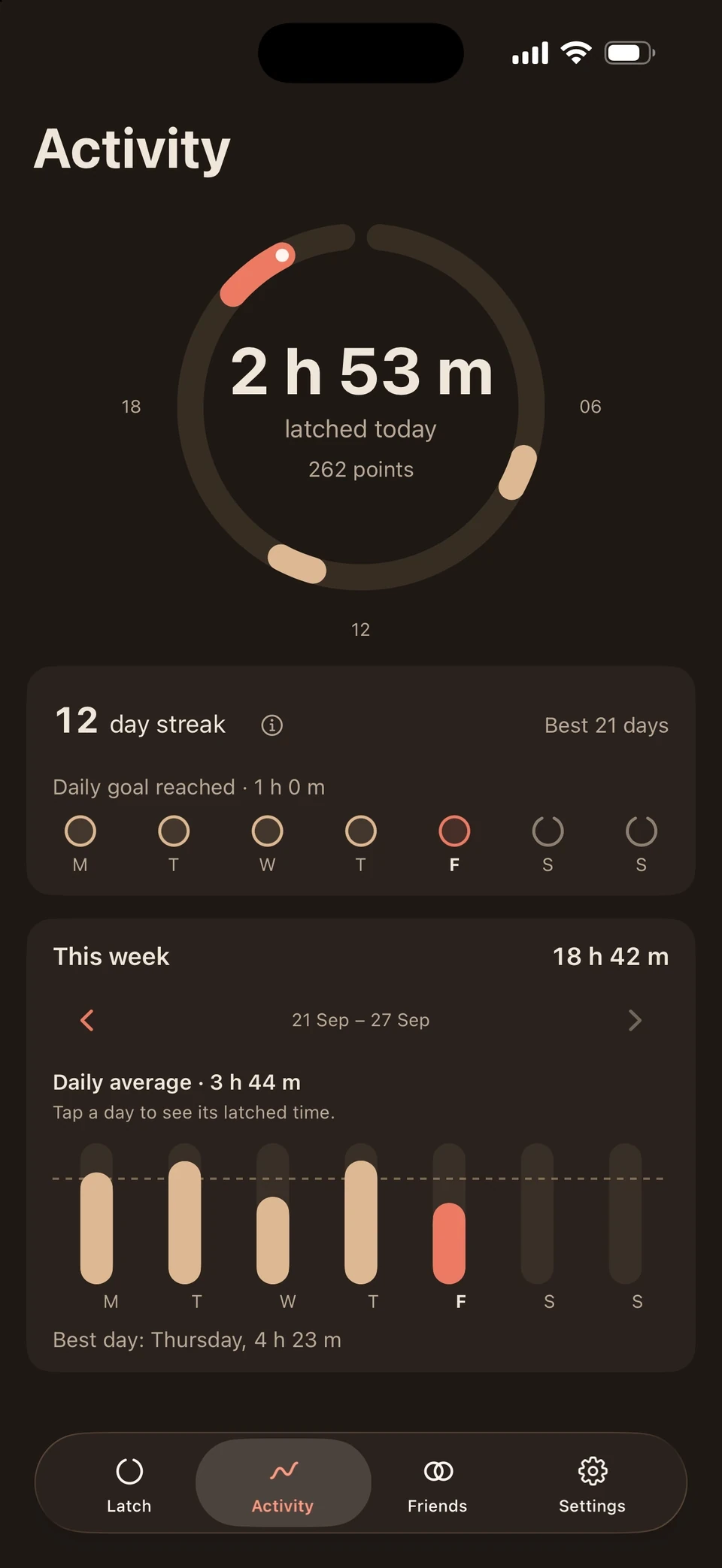
Activity. You see how long your apps were locked.
Questions & answers
Any questions?
Everything important about the app, the Key and your data.
Your question isn’t here? Write to us
Everyday use
Does FocusLatch lock my whole iPhone?
No. You choose the apps, categories and websites that take a break. Everything else keeps working, including calls and messages, unless you choose them yourself.
How do I lock my apps?
In the app, you hold the ring. Or a schedule locks them automatically at the time you set, even when the app is closed.
Do my apps open by themselves when a schedule ends?
No. A schedule starts the lock but doesn’t end it. You unlock at the Key, so opening your apps stays a deliberate choice.
What does Friends show?
It’s optional. Friends see your profile, whether you’re locked right now, your app list’s name and your focus times, but only once you both accept the friendship and turn on sharing. The apps you choose and your Screen Time stay private.
Key & unlocking
Do I need the Key to lock?
No. Once your Key is connected to your account, you lock in the app or with a schedule. You need the Key to unlock: you walk to it and hold your iPhone against it.
What if I can’t get to my Key?
For real exceptions there’s the emergency unlock. Solve five tasks in a row and your apps are open again. Each account has five in total, and you need to be signed in.
Do I need to charge the Key?
No. The Key has no battery and no cable. You never need to charge it.
Where should I put the Key?
In a fixed spot out of reach, like the hallway or another room. How far the walk is is up to you.
Can I use more than one Key?
Yes. You can connect more Keys to your account, say one at home and one at the office. A Key can also be connected to several accounts, for example in the same household.
What if I lose my Key?
Get in touch through Support & Safety in the app. Until then, the emergency unlock is there for you. A replacement Key connects to your account just like the first.
Can’t I just delete the app?
You can. If you delete FocusLatch, Apple lifts the lock, because the final control stays with you. It’s an emergency exit, not the everyday way back.
Data & account
Can FocusLatch see which apps I use?
No. FocusLatch uses Apple’s Screen Time. The apps and websites you choose stay on your iPhone and are never uploaded.
Do I need an account?
Yes, to activate your Key. Sign in with Apple, Google or email. You can delete your account at any time, even without the Key.
Buying & devices
Which iPhones does FocusLatch work with?
Any iPhone running iOS 17 or later. FocusLatch is currently iPhone only.
What is the Key made of?
Oak, made in Austria. It measures 70 mm across and 25 mm high.
Can I try the app already?
Yes. The beta runs on Apple’s TestFlight. You’ll find the link under “App” at the top.